
Actually Get Your Data Science Model To Production
Why Won’t They Use Your Model?
You’ve single handedly developed a new model for your company. You’ve proven to your boss, your team, your other stakeholders that it is a measurable improvement over what they have now. You’re going to save them time or money or, even better, generate new revenue if only they start using your model for day to day decision making.
But they won’t, because your model isn’t in production. So let’s talk about how to get it there.
What is Productionising?
Any company which requires people to use any bit of tech has a clear divide between development and production. Development is where we try new things. Where we add new features or make improvements or build models altogether. It’s a fundamental part of building ANY software. We need to be able to add new things, to make changes.
The obvious problem is that these changes take time to make. Yes some small changes can be added in an afternoon, but the majority take weeks, if not months to fully implement. When you have someone actively using the software or model, it can’t be in a partially working state at any point. It needs to be fully working and fully trusted otherwise people just won’t use it. That’s what we call production, a version of the code released and, ideally, stable enough that the users can use it without the noise of development in the background.
For software engineers, these concepts are usually made very clear. They’re often committing code to github that goes through a release management process and ends up in production. But data scientists often aren’t taught to work like that. We get data, we build a model, we show it off and then the goal is that someone starts using it. The problem is that in order to do that, like the software engineers, we need to actually get our code into production and to do that, we need it to be in a production ready state.
And no, that “production ready state” can’t be a stream of consciousness in a jupyter notebook.
This is the fourth post on my series on getting your data science model production ready. In the first we spoke about how to prepare your code to save you pain when it goes wrong. In the second, we spoke about how to turn that stream of consciousness into actual useful code. And in the third we spoke about how to put in testing for your code so that you know it works and aren’t accidentally breaking it. You can read all three by going back to our blog page.
So today, I’m going to talk about the process of how we take this code you’ve written, having done all the things in my previous videos, and actually get it into production. So let’s get to it: How on earth do we get our code into production?
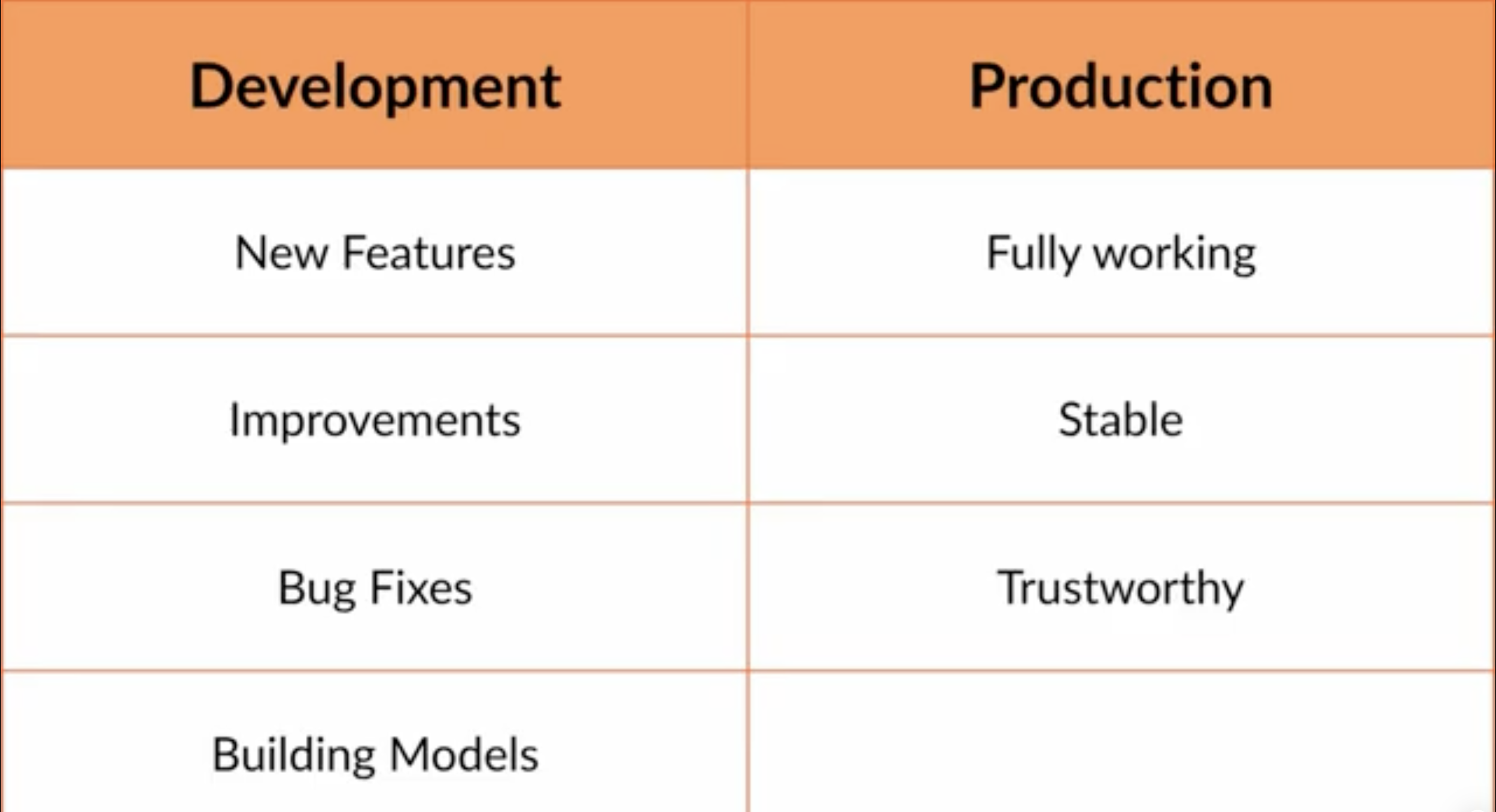
Table showing a clear divide between development and production
What Is Release Management?
In most companies, big or small, there will be a release management process which is basically a decision making process that determines what code makes it into production at every release.
The style of the release management process varies significantly by company. For somewhere like a big bank which is highly regulated, with huge user bases and the potential for fines if their technology isn’t functioning, these release processes can be complicated with lots of steps in place to try and prevent critical errors from making it into production. The risks of getting it wrong are very high and so there are a lot of guardrails in place to try and prevent that from happening.
Somewhere like a start up, however, tends to be on the opposite end of the spectrum. Releases might be more adhoc, with new code regularly pushed into production. However, if you’re a start up that intends to make money, as most do, pushing code to production isn’t risk free as breakages could risk alienating your customer base and when you’re a small company, every customer helps. So some level of release management is needed very quickly to prevent things falling apart.
Whether the company is big or small, the release management process broadly follows the same steps. These might be compressed in smaller companies, and there might be a lot of red tape between various stages in larger companies. But the overall steps we tend to take are the same.
I remember the first time I encountered these steps, I asked someone on the tech team I worked with what they meant. His response was: “I don’t even know at this point.” I’d like to think that was a commentary on the chaos of the project rather than an actual gap in his knowledge but it meant that I had to work this one out the hard way myself.
So this post is for twenty-two year old Leigh, who could really have done with a better answer when she was fresh out of uni. I’m going to break down the six broad areas of release management, starting with the very first:
How do you get the code in your local notebook on the list for making it into production?
Getting Your Code On The Path To Production
Whether you’re working alone or as part of a team, chances are you’re working with local code on your machine to build your new feature or test a new change. That’s your development area. You’re developing something new, so we call this dev.
As I say, the exact release management process varies between companies, but generally the first step to take your code from development to something that could make it into production is to integrate it with the rest of the code due to go to production. This is usually called the integration environment, or ‘int’ for short. But can also be called things like the “dev branch” or similar.
The key difference between what you have on your pc and this integration environment is that your local pc just has your changes. This integration environment has everyone’s changes that are due to go into production. Once your code hits the int environment, it’s on its way to production, provided it passes all the stages beyond that.
One quick note, in small companies, everyone’s code goes together in one environment. In bigger companies, things are usually released in smaller buckets. So you might have an environment for your team only. Either way, the steps are the same whether it’s a whole company release process or a team one.
So what do you need to do to get your code from your local area to the integration environment? Sometimes this can just be a push in github or an equivalent version control system but usually there are extra guard rails around it.
A common guardrail is to send your code in along with tests that can be run to ensure the code is working. These are the unit tests I spoke about in my post on testing. There may be rules about how many tests need to be included (known as code coverage - let me know if you’d like a follow up post on this!) and your code may get flagged at this integration stage if you’re causing some existing tests to fail.
But generally, when code is accepted into the integration environment the intention there is: “This code is development complete and I would like to progress it into production.”
Think of the integration environment like a holding ground for future production code. It’s the place we go to find out what doesn’t work. Maybe your code breaks someone else’s changes, or causes a test to fail. This is the opportunity to fix that because unless all tests are passing and basic functionality is working, the code will never make it out of integration.
At some point, a decision will be made to take a “cut”. That’s basically drawing a line between the various contributions (or code pushes) that says everything submitted before this line is going to move up through the release management process. Everything submitted after will stay in integration until the next cut. So your goal for your model is to “make the cut” by making sure the tests pass and it interacts as it should with the rest of the code in the code base.
So goal number one: Make the cut. So what happens after we do that?
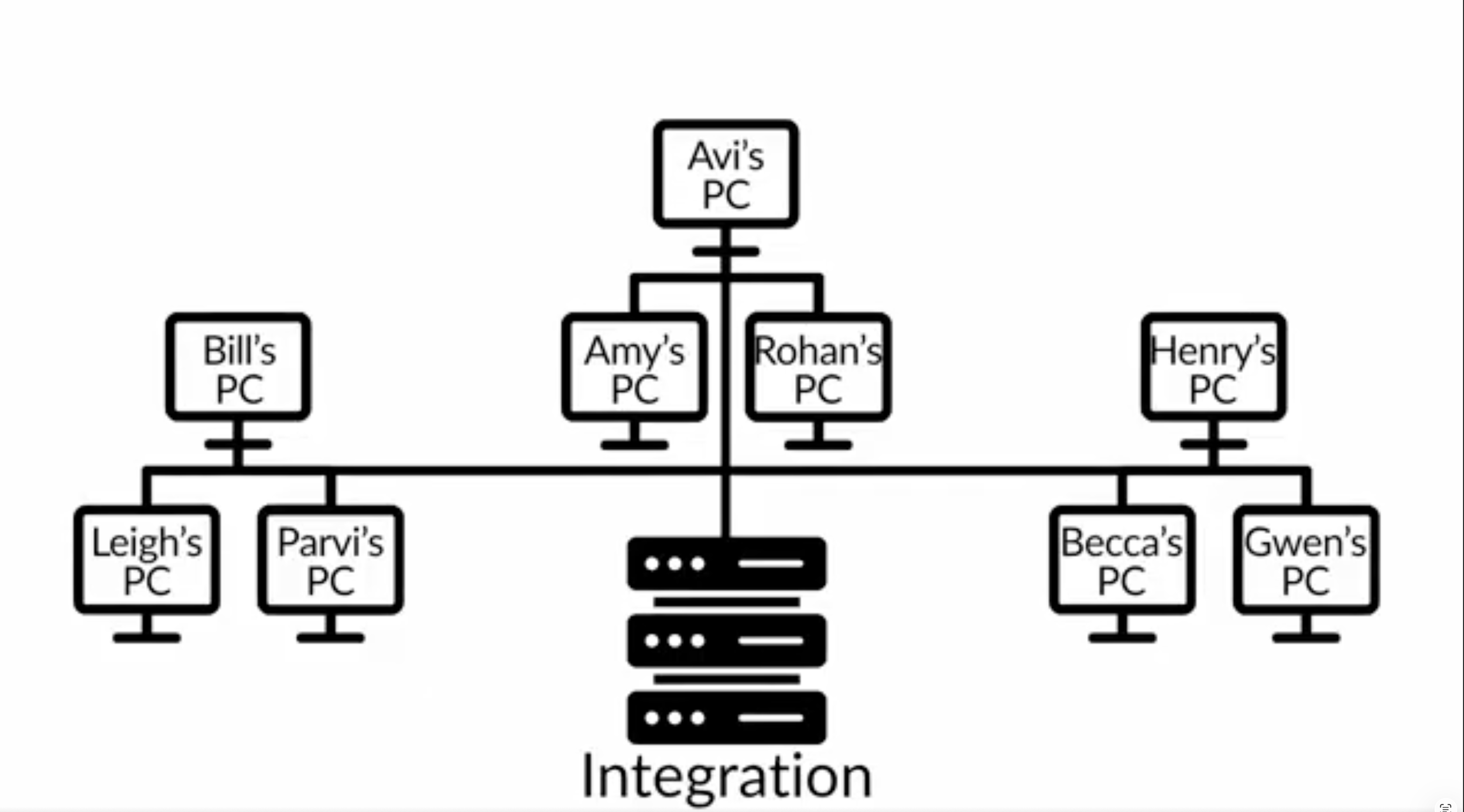
Image highlighting the integration environment which has everyones changes before production
How Does Code Get Tested?
So congratulations, you’ve got your code into integration, everything went well and your code has “made the cut”. It’s taking the next step on the journey to productionisation. If you’re lucky, this is the point where you can stop paying attention to it because everything goes smoothly from here! But most of us live in the real world so let me break down how this next phase works.
Generally, this next phase in the release cycle is the testing cycle. There are two main types of testing, QA testing and UAT testing. Believe me I wish someone had described these terms to me when I was junior.
QA testing stands for Quality Assurance testing. Usually there are people whose roles are to test QA. They tend to be called QA Testers, believe it or not. The easiest way to think of this role is if you think of it in terms of a user interface. A QA tester will click on all the buttons in the UI to make sure it works as intended, usually following a script of desired behaviour. They’ll then flag anything that doesn’t work to the relevant teams to take a look at and patch a fix for.
But QA isn’t just for UI work. For a data scientist, it’s more likely that they’re going to be looking at the output of your model. This is where things like regression tests that I spoke about in my testing video come in. If the same model is run in both the production and QA environments and the numbers are different, you can bet you’re getting an email to explain why the numbers are different.
Remember though, as I said in my testing post, the numbers being different doesn’t mean you broke something as long as the difference is explained by your changes. But that explanation is tracked as part of the QA process so that changes are made known to end users.
When QA testing is completed, it moves to a different level of testing which is User Acceptance Testing. That’s where one or more designated end users, or the closest to it, are asked to sign off that they accept the current code as “good enough” to release. This is called UAT.
As the head of data science in Evil Works, I act as the person who signs off UAT in the company. We’ve created a platform for data scientists, so we need a data scientist to sign off that the new features we’ve added or new changes we’ve made are usable for data scientists. In this case, we can’t just ask a random user whether this is good enough, so that becomes part of my role to make the decision about whether we are ready to go from an end user perspective.
However, not every model or piece of software is designed to be used by an external person. For example, when I worked as a quant, my models were used by traders, therefore my traders were the end users signing off on UAT to enable it to reach production.
Some companies will combine the QA and UAT stages into one and might not even have a separate environment. QA and UAT testing might be done on the integration build, and might even be done by the same person, or the developers might end up doing QA themselves. The exact way this stage is carried out depends on the individual company, but again, the fundamental concept is broadly the same. So your code made it through QA testing and you explained all the differences (or fixed any bugs). Then your stakeholder signed off for UAT.
So is that it now? Does your code go straight to production now? Not quite. Let’s talk about the next step.
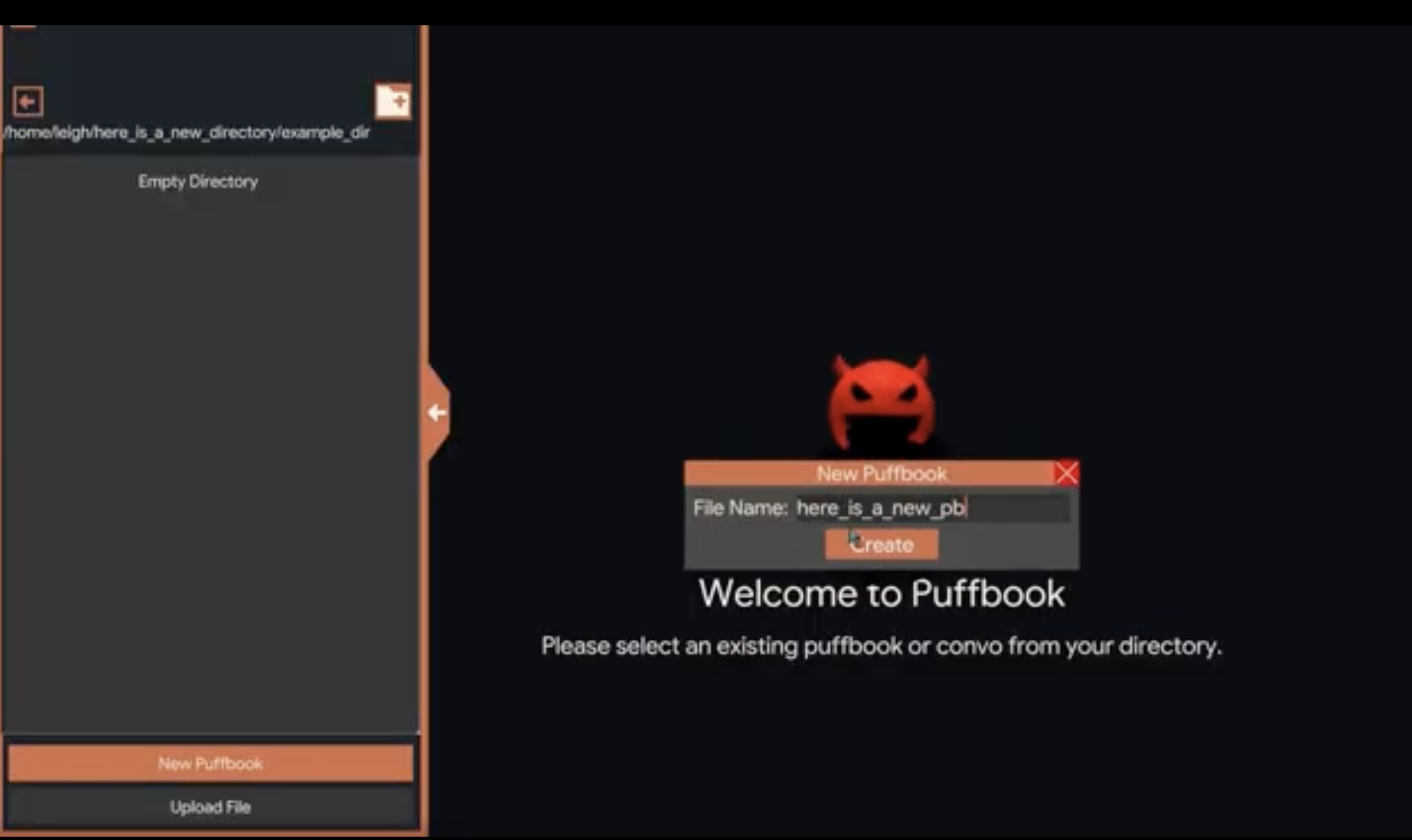
Image of the PUFF platform and a QA using the UI to determine any errors
Finally Getting to Production
What happens next, once again, depends on particular companies, but often these different stages I’m talking about come with different environments because releases don’t usually happen once at a time.
It’s usually not the case that once developers have sent their code off on the productionisation journey that they stop developing and wait for QA and UAT sign off before they get going again. Usually they’ve already started on the next round of features ready for the next production release.
As a result, the content of these environments is regularly changed. When code moves to the next stage in the process, it’s promoted upwards so that the next round of code can take its place and the process can continue for that round.
This means that unless your team is small and agile and can move through this very quickly, the UAT code doesn’t usually go directly to production. It usually ends up in a pre-production or staging environment until the final production promotion happens, usually on a planned release date. That means that in the time spent between UAT sign off and production release, the code usually sits in pre-prod or staging. However, even if you are a super agile team and can release code very quickly, there’s another reason you might want to put your code in preprod or staging before production release, and that’s because it means you have a separate environment for code that is identical to production that is not production. And that’s for one very important reason: Bug fixing.
The release process is, by necessity, behind the latest and greatest code, so often if a bug is raised then the development environment has moved on so far ahead that it can be hard to trace down the bug and fix it and even if it is easy, the fix that works in dev might not be compatible with the current prod.
In the scenario where a bug is significant enough that it can’t wait for the next major release, you need a prod-like environment where you can test your fix so it can be patched to production quickly. That’s exactly what preprod or staging does in this scenario. If you break staging, no one cares because it’s not prod and you can attempt as many times as you need to fix it, without disturbing end users who need to use it.
Once your fix is working in staging, then you can get it patched to production and the bug is finally fixed.
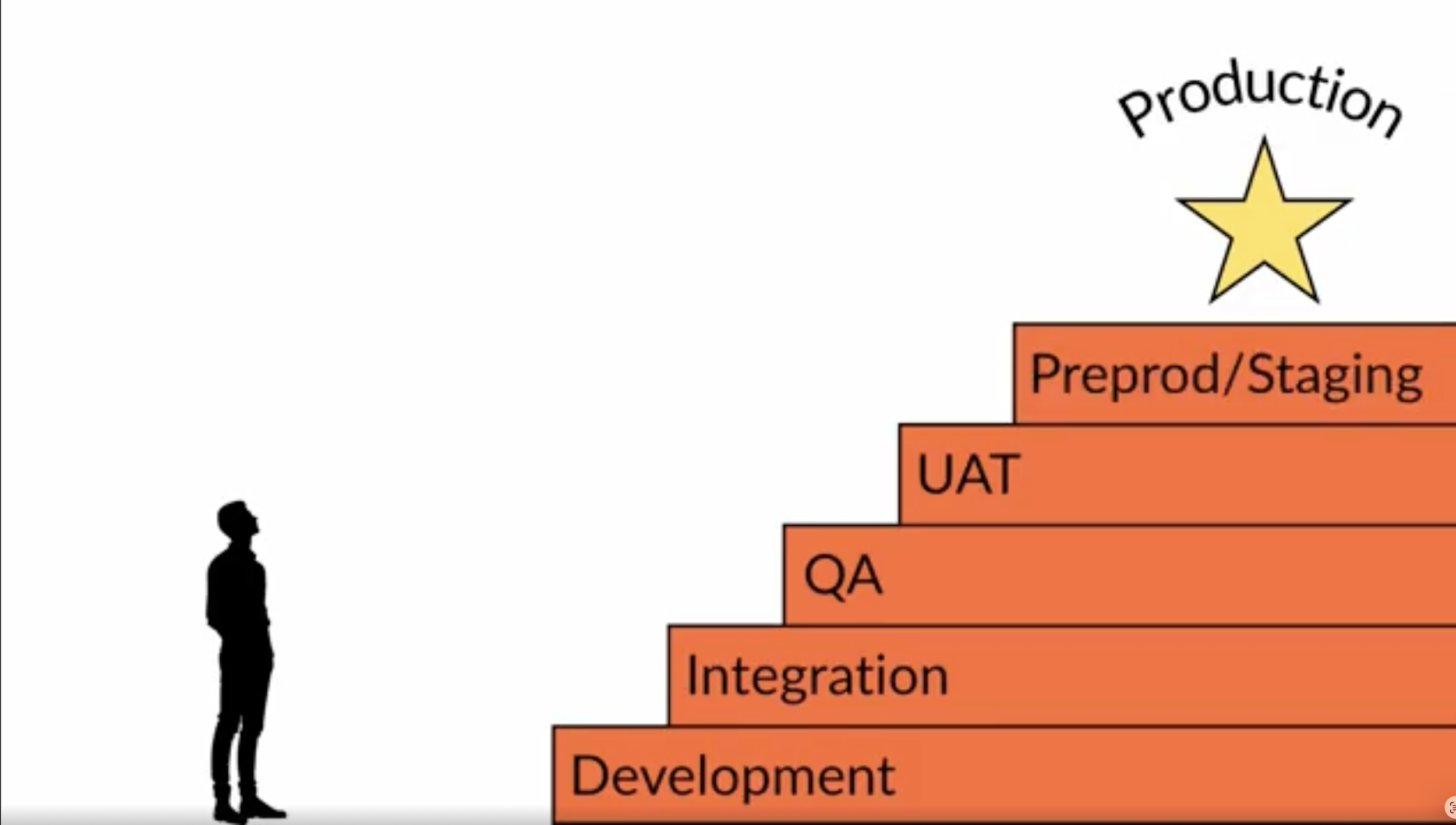
The Five stages of getting your model to production
So that’s it, that’s your crash course in what you need to know to get your data science code from a jupyter notebook on your local pc to production, where someone actually will use it. The release management process adds layers of trust and credibility to take your model from “good” to “good and reliable” and the latter is usually the hardest barrier to cross.
At Evil Works, we know this release management process is a chore for data scientists, rather than a core part of the job. So our PUFF platform is designed to make this whole process much less painful.
In particular, our incremental computing functionality makes evidencing your code is ready for integration significantly easier and also makes the QA and UAT processes much more efficient by making clear exactly what has and hasn’t changed. You can see a breakdown of incremental computing as a concept in the related post, or give PUFF a go yourself.
Our closed beta is now Live. Sign up via the link below and keep being Evil