
Stop Writing Bad Data Science Code
It’s four pm on a Friday.
Next week is the end of the quarter and so the reporting team is getting all the data together.
You get an email that says that your model is no longer producing results and they need that fixed as soon as possible.
There goes your early Friday finish.
So you open up your notebook and start searching through the code, desperately trying to find the bug.
You know you made some minor changes yesterday but your notebook looks okay, the results are there. You can’t understand why it wouldn’t be working in production.
So you start rerunning cells to see what happened. Did the input data change? Nope, that's still the same.
You double check the maths, this is the complicated bit where things are most likely to go wrong but that all looks fine.
So eventually you restart your entire kernel and let it run from the beginning, frustrated because it’s now past 6 and this model is not fast to run.
That’s when you spot it.
The column name change you made in the fifth Jupyter cell yesterday that you didn’t propagate down properly.
If only you’d rerun your notebook from the start you would have spotted this and solved it already.
But relying on “if onlys” is a rubbish way to run your code. We can do something better.
Today I’m going to teach you three concepts of defensive data science, or in other words, how to make your life suck less when things go wrong. Let’s get to it.
When someone else breaks your code
So early on in my career, I realised something very important: It doesn’t matter how good you are at programming, your code will fail in production at some point. It doesn’t have to be your fault because you wrote bad code, it can be the data changing upstream, it can be a change in pipeline or even an update in a library you’re using. All of these things outside of your control, all of these things easy to break.
Assuming your code will be fine is a junior data scientist mistake, a beautiful naivety that hasn’t been ground down by the real world of data science yet. But I’ve got ten years of quant and data science experience with me so today I’m going to impart some of those lessons learned the hard way. Starting with the first: What happens when someone else messes up your data?
For example, say you have a dataframe with raw data coming in. You expect it to be mostly numbers, maybe a few date columns and a few strings to identify it as well. One day the input table is badly formatted and everything comes through as strings. You’ll probably notice it because at some point down the line you’ll get an error like “can’t divide between two strings” or however Python puts it.
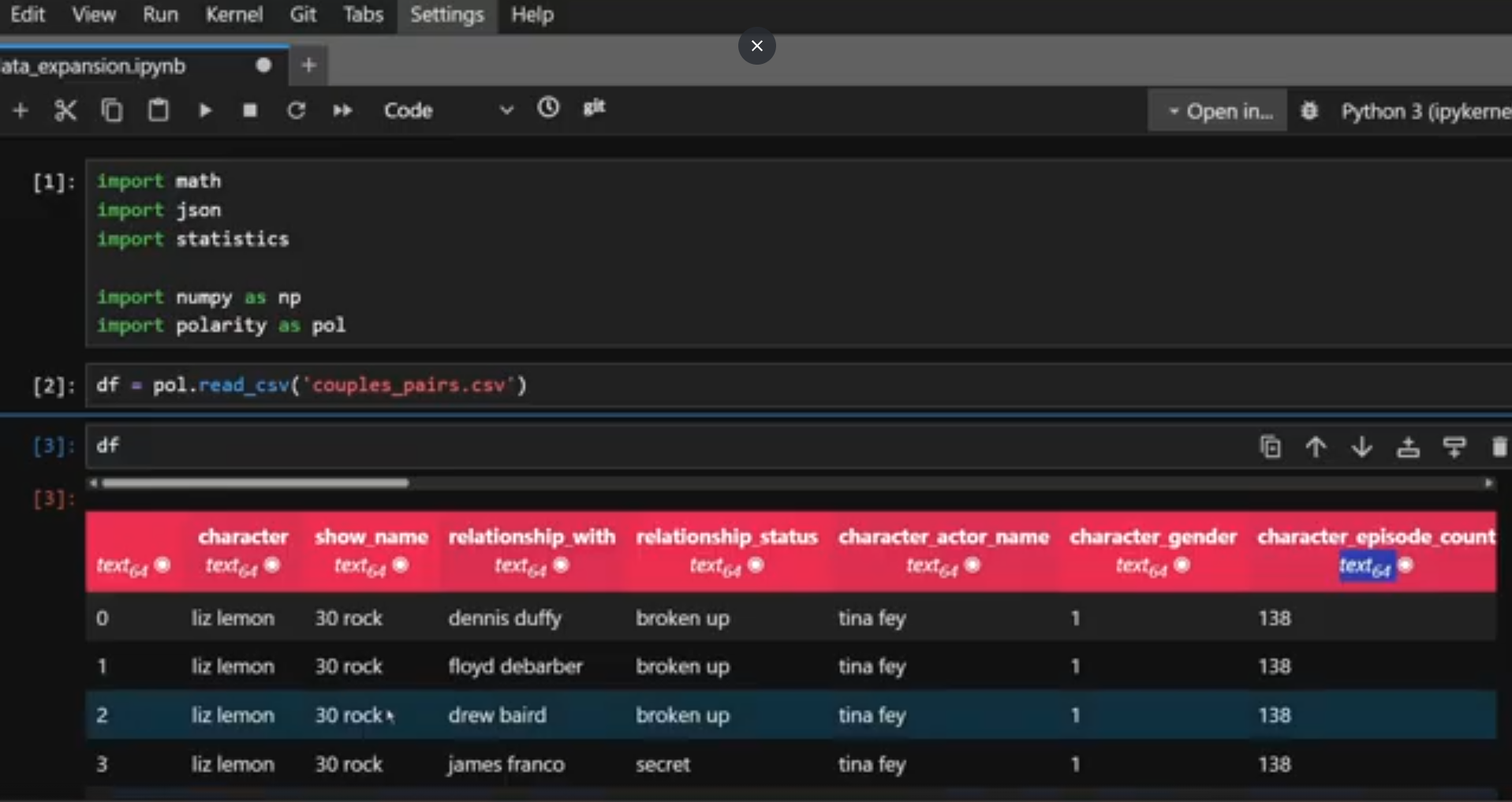
Oh look, all my data is coming through as strings again…
Based on that you probably have an idea where in your code the failure happens so you can hunt down the division and reverse engineer the problem columns from that, maybe you’ll even realise that everything was converted to a string. But that’ll take some time and some manual intervention.
What if instead you did some data validation? What if instead of waiting for the code to error out naturally, you just checked the data when it arrived? It takes one dictionary of column names and expected type and one raise of Exception stating the column names with an incorrect type to show up the problem immediately and give you all the information you need to fix it when it goes wrong. It really is that simple.
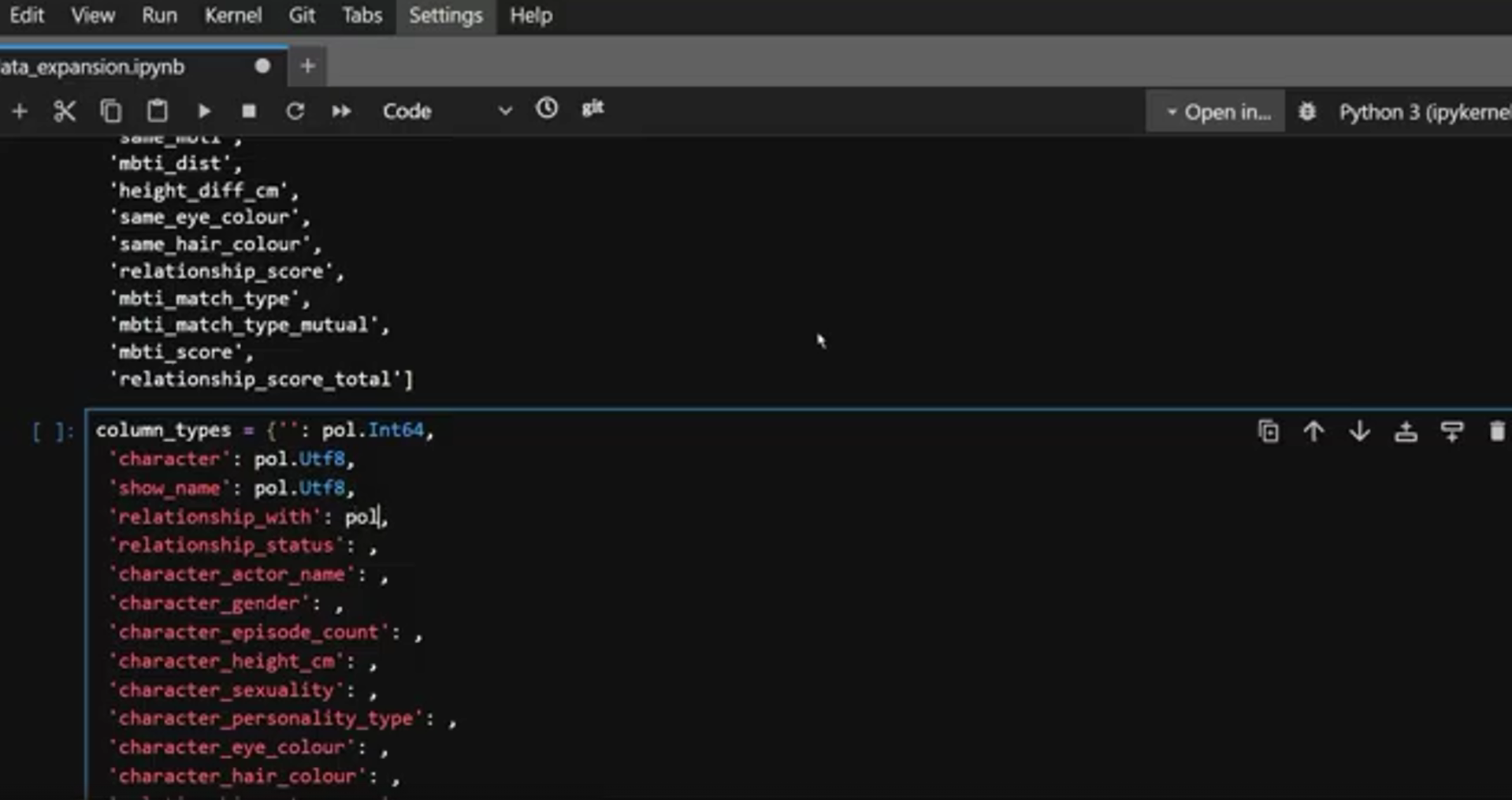
I know this seems basic, but the amount of production systems I’ve had to support where no one did this is actually quite scary…
I once had to support an application where the developer refused to do this because the data team should just get it right. They didn’t want to be a checkpoint for the upstream data because it was their team’s responsibility. Unfortunately for me, I was in the first time zone to wake up in the morning, so you know what would inevitably happen?
The data would be wrong, it would cause an ambiguous error somewhere down the stack and I would have to debug through it. It was painful, it was not good error handling and it was poor collaboration. If your process is “the data shouldn’t be wrong and the other team should fix it” then your process is wrong and data validation is the fix.
Of course not every potential error is that simple. Sometimes we know there might be one but not necessarily what it will be. So how do we handle that kind of error?
If only it was shown to us this simply
Don’t let the errors blow everything up
There will be times when you want to acknowledge the error and move on. So for example, if you have some bad input data in your table, you might want to know about it, maybe mark that row in some way, but let the rest of the data compute if it’s fine. That’s where try catches come through.
In this case you’d put a wrapper around the actual functionality:
Try: and do the thing you want to do.
except Exception as e: Here is the situation in which you handle where things went wrong.
That e there, that’s the error message that occurred in the code you were trying to run and it’s going to tell you what went wrong. The exception block is telling the code how to handle that.
Do you have an error column in your table which you can store that information in?
Do you delete that row from the table altogether and put it in a separate table?
The choice is yours, but if you don’t put that try/except in? Then the whole thing is just going to fail anyway and you’ll have no choice but to fix it there and then.
Another example is when you’re doing API calls or anything that could get timed out or rate limited.
It happens, it doesn’t necessarily mean you’re doing anything wrong, but when that happens, especially when you’re getting a large amount of data, you don’t want the code to just give up when it can’t get the data. You want it to sleep for a bit and try again.
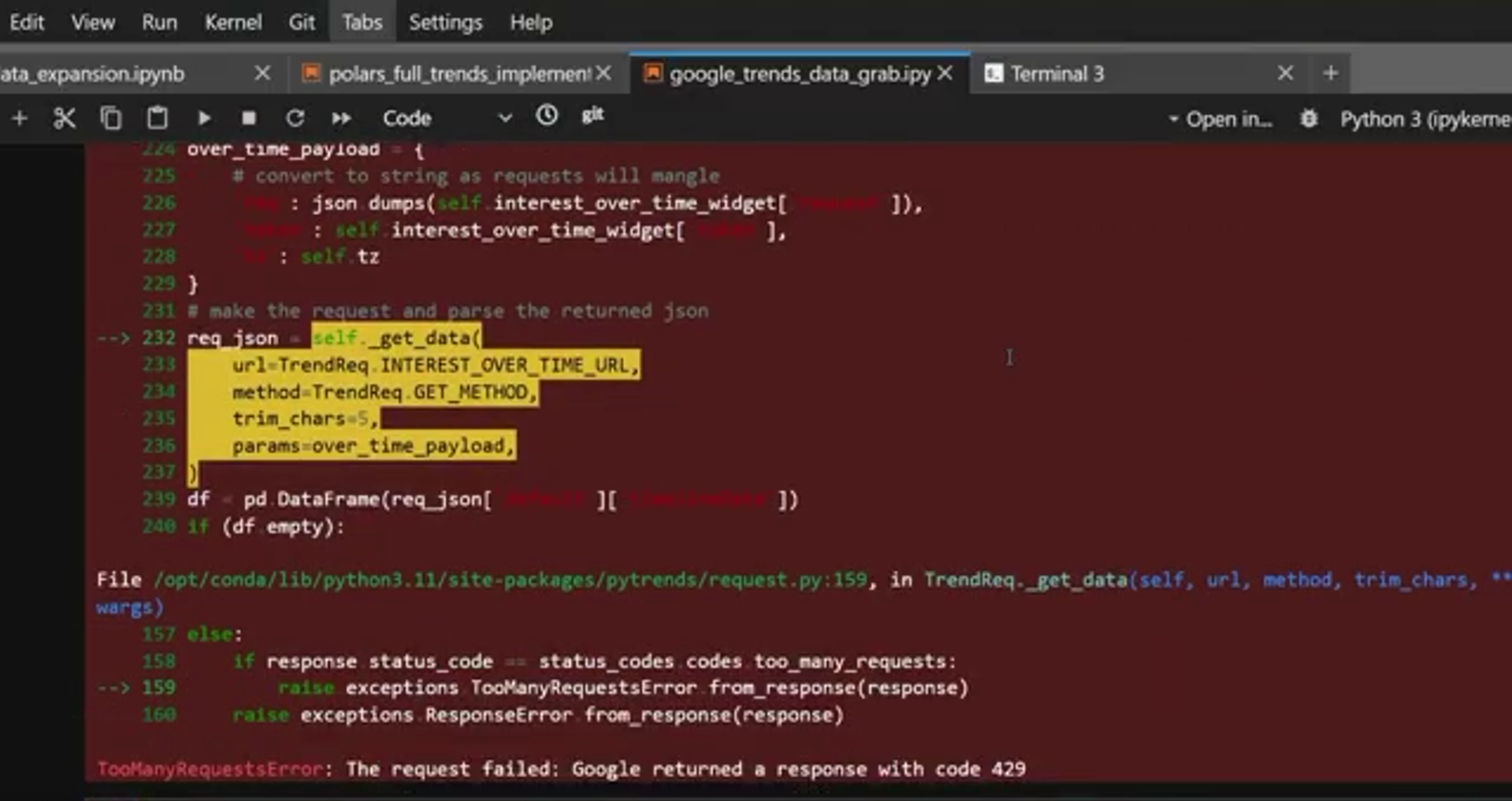
Rate limits are a fantastic example of when try catches become a necessity, not a nice to have.
Of course both scenarios I’ve described are only as good as your error messaging. If your errors always come back with nonsense or a generic message, they’re not going to help you debug. So good error message discipline is really important here. Returning the column name in question or the API query that gets limited could be good things to put in your exception messaging.
The third way to fail better isn’t about catching the errors in advance. Let’s be honest, if you could predict all the future problems that are coming up I’d be asking you for the lottery numbers.
Instead it’s about enabling future you with the information you need to figure out what’s going wrong when things inevitably do go wrong. Let’s talk about logging.
Logging
Logging can take a few different forms and when I first learned to program it was actually how I understood what was going on before I learned breakpoints and debugging. I’d set up my script with loads of print statements to see what was going on then adjust them as I ran my code.
This wasn’t the most efficient or most scalable way to debug code but the principle is the same basic principle as logging, information printed to somewhere, namely the logs, to tell you what’s going on in the code.
The beauty of logging is that it’s not as binary as error messaging. With error messaging, no message is good news and an error message means game over for that particular row of data or the program altogether. Logging allows for nuance.
The most popular way of logging in Python is using the logging library. It enables you to customise different levels of logging so you can identify what’s going on and how serious it is, but for many use cases the default is good enough. It comes with the following pre-defined levels:
LOGGING.DEBUG for detailed information a developer might need in the debugging step. That might be information on the inputs, only written to the logs when the
logging.INFO for general information. For example, ahead of your long running data cleaning step you might want to put logging in that you’re about to start the big data cleaning step. You also might want to put in logging that says you’ve finished it. And if it’s that slow you might want to mark out the incremental steps along the way.
LOGGING. WARNING is to give warnings. They don’t stop the program from running but are something that the user might want to be warned about.
LOGGING. ERROR logs the stack trace instead of just the error in the exception, giving more information for debugging. You might want to include this in the exception handling step.
LOGGING. CRITICAL a message that indicates it’s game over for the program. You might want to do that if for example you don’t get data to begin with, or just handle it with exceptions.
The important distinction with logging versus exceptions is that logging prints information to the logs, it doesn’t stop the program from running or enable any further logical handling like exception handling does. Logging is for giving information at different levels of severity, not for handling the errors directly.
How else can you improve your code?
So here we have it, three layers of defensive programming that you can use in your data science code to save you from a lot of pain when things go wrong. Of course this isn’t the only programming trick to write better data science code and we’re going to follow up with tips for both debugging and productionising your code properly. Join our discord and let us know which one you would like to see first
Also, some of the reason why we need this defensive programming is that most libraries don’t do it for us. I mean if you’ve ever used Polars for your data science you might have come across what is quite literally a PanicException. Useful right?
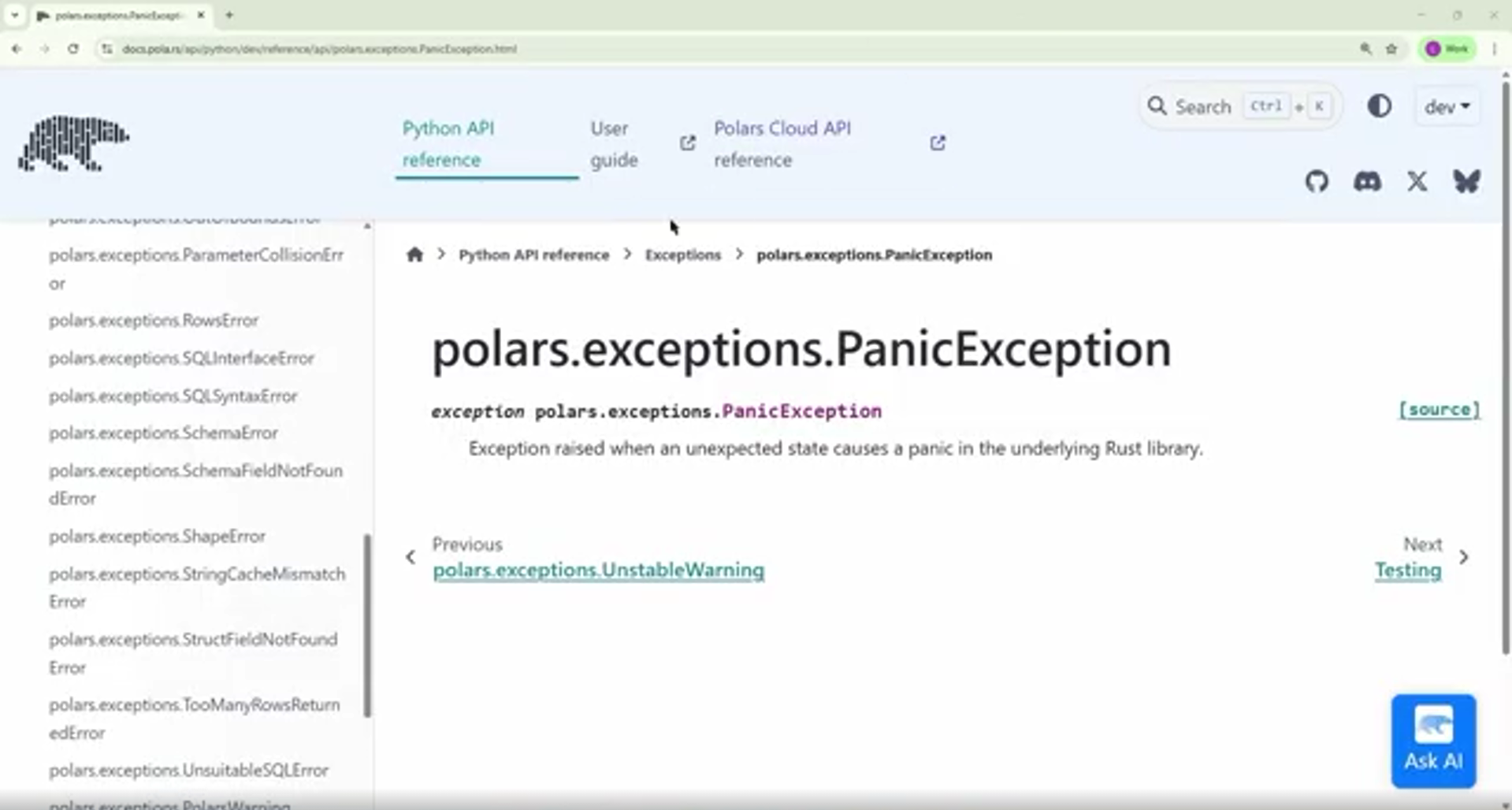
I literally couldn’t believe it the first time I was met with basically: Polars panicked…
But at Evil Works we’re passionate about doing data science right so we’ve built in a lot of error handling into our PUFF Platform for data scientists. Take units for example. While Python will happily let you add celsius to kilometers because it doesn’t understand that those two things are incompatible, PUFF has this baked in by default, meaning when you’re making those silly mistakes, we’ll let you know so you can do something about it.
Our closed beta launches this month. Sign up via the link below and keep being Evil