
Your Jupyter Notebook CAN’T be Production - Part 1
WHY YOUR DATA ENGINEERS HATE YOU
If your idea of production is sticking a messy Jupyter notebook in a Docker Container and slapping a FastAPI endpoint on it, not only do your ML engineers hate you but so will future you as well.
Today we’re going to talk about the vital untaught data science skill: Turning your crappy code into something your company can actually rely on, and making sure your Saturday night out doesn’t get ruined dealing with a “critical” production outage.
At the end of this post you’ll understand one of the most fundamental principles of productionising your code and how to turn your notebooks into something that will stop your data engineers from plotting your demise.
WHY YOU SHOULD CARE ABOUT WRITING GOOD CODE
There’s so much wrong with the way data science is taught that I could write a whole essay on just that, but a starting point is the fact that data science often focuses on teaching us statistics: regression models and neural networks, at the complete expense of all the other real world useful skills that go with it.
I mean first and foremost, theory is great but if you can’t translate it into the business problem in front of you then the value of that complex mathematical theory is basically zero. But secondly, even if you do manage to translate it and build the most optimised model, if your code isn’t robust then again, no one can use it, and the value is still zero.
So today I’m going to teach you the fundamental building block of productionising your code. But first I’m going to ask a more fundamental question: You’re just a data scientist doing data science things. You’ve got data engineers that you can offload the tricky tech stuff. Why should you care about productionisation? Well picture yourself in this situation…
It’s a Friday afternoon, you’ve got plans to see friends, spend time with your family or get some Brazilian Jiu Jitsu training in this evening. You’re starting to wind down into weekend mode when suddenly your boss appears behind your shoulder:
“I can’t get customer churn numbers,” they say and something within you shrivels up inside. Your model’s broken. And you’re going to have to be the one to fix it.
“I can take a look first thing on Monday,” you say in your most reassuring voice but a pitying look crosses your boss’s face. No, they need customer churn numbers for a stakeholder meeting first thing Monday morning, and your weekend is ruined.
So you pull up your notebook and try to start down the arduous process of trying to work out what is actually going on and why that model that worked fine yesterday is now throwing a tantrum. It’s not like you wanted work-life balance anyway.
Let’s be honest, some lessons we have to learn the hard way and this is one of those that is particularly painful. But it’s how you respond to this situation that really separates the high performers from the rest. Do you accept the wasted weekend, fix the problem and forget about it until next time it comes up again? Or do you actually do something to stop this from happening again? If you’re in group two, then this video is for you.
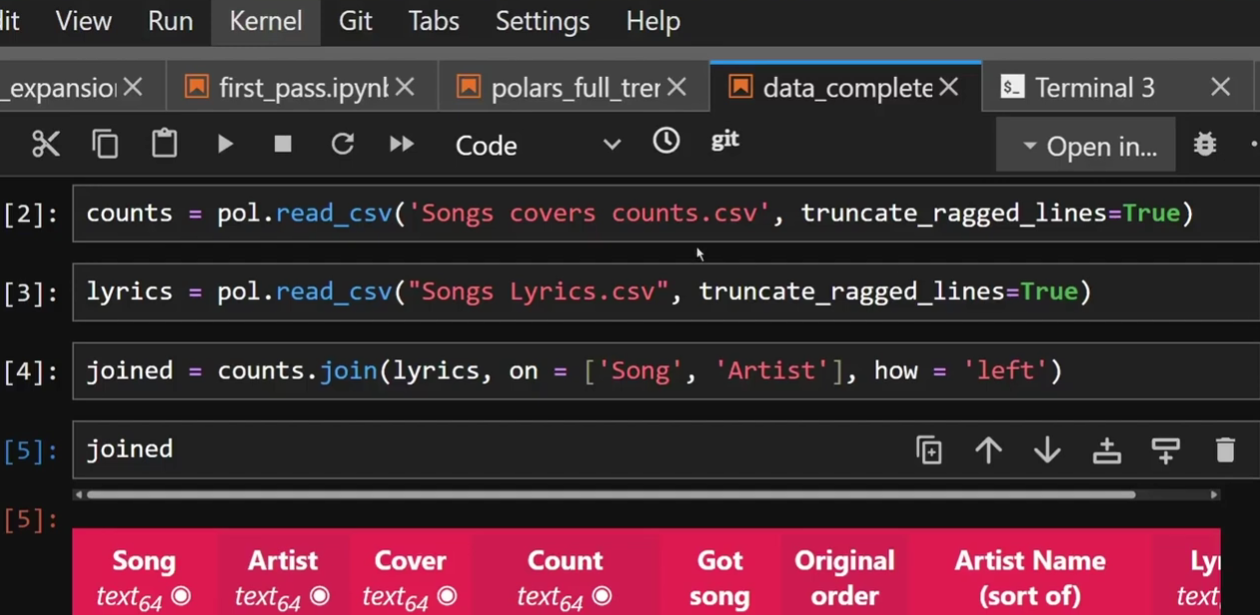
When doing exploratory data science, it’s really common to go line by line so you can print what the output to keep track of what’s going on. However, what is good for exploration is not always good for production. Let’s talk about the difference.
WHAT YOUR CODE PROBABLY LOOKS LIKE
So when you’re doing a data science project, your code probably looks like the above image: Load the data in, explore the data. Each cell you do some data manipulation, print it to see what it looks like and carry on. Eventually you have a nice clean dataframe you’re ready to run a model on and you spend your time tweaking your model just so. When it’s good, you’re done, hand it over and move on.
There are a number of problems with this approach. Firstly: you have probably run cells out of order at some point. You probably went back and adjusted an earlier cell or added in a line without rerunning all cells underneath. If you restart your kernel and run from the beginning, it’s probably going to fail because that join in cell 15 requires the rename you only added in cell 22.
But say you were aware of this problem and before you chucked your notebook at your data engineer you did run everything from start to finish to make sure it works. Well you’re still not in the clear. You probably have a number of lines of code that you don’t actually need in there, not necessarily a problem but inefficient for sure. And you still have one more problem:
What you’ve built is impossible to test and debug. If your dataframe suddenly drops 10,000 rows, you have no idea which of the 150 cells caused that unless you step through it one by one.
Now a few weeks ago I did a blog all about defensive data science, or how to make the debugging step a whole lot less awful so you can go back and read that if you’d like, but today I want to focus a little more on the prevention part and in order to do that, you need to think of your code in functions.
HOW TO THINK ABOUT CODE TO WRITE BETTER CODE
I’m a big proponent of testing-driven development which is where you write your code with how you’re going to test it in mind. Or for the most hardcore proponents write the tests before you write the fancy machine-learning algorithm itself. I’m going to talk about testing in the next Blog in this sequence, spoiler, but here’s how I want you to think about it when it comes to writing your code: What is a reasonable block of functionality that I would want to be able to understand and test?
For example, your entire data cleaning step is massive. You want to be able to test it, yes, but doing the entire cleaning step in one go is likely too much. What might be more realistic is the step that re-formats the column types. Another one could be the step that handles missing values. Or the step that combines multiple columns to make a unique primary key.
I like to think of these as units, we’ll see why later. It’s a small chunk of code that does just one thing. And then I wrap them in a function.
What’s really important here is getting the size of the function correct. If your function would just be a single line of code then that’s really not worth it. If it’s only one column that changes type then I would just keep that in the main data cleaning function. A unit is a small block of functionality, not necessarily a single line.
And the beauty of functions is that they can call more functions. So you can create that data cleaning function which in turn calls the reformatting the column type function, the handling missing value function and the primary key creation function. That function itself is now a unit of units, which means it’s not too big, it’s a function that does operations on already self-contained units.
If we continue building our code up in this way, not only do we get the benefit of it making it much easier to test our code, but it actually has a side effect of making the code self-documenting. Provided you name your functions something useful, like def convert_column_types, you’ll actually be able to see what’s going on from reading the code like you’d read a book.
Okay, I’ll concede that you can’t just read it by going down the page like you could if you kept things in individual cells, but it does have a logic that you can follow, a built in structure that allows you to diagnose problems and concentrate just on the section of code that is most important.
For example, if you’re trying to work out what’s going wrong in the data cleaning step and you know based on the error message that the problem occurs after the column type changes, you don’t have to scroll through lines of code in the data cleaning function that changes column types. You just scroll past a one line of function that tells you that’s what it’s doing. Then you move on.
But I’m getting ahead of myself here, I’m describing theory to you just like I complained about earlier. Hypocrite, I know. So shall we see what this actually looks like?
WORKED EXAMPLE
I’m going to take you through an example now looking at the code I wrote to make Google Trends data actually usable for Machine Learning. You can find the theoretical explanation of how I did this linked above, and then also a code walkthrough I did of this exact code.
Something I want to draw your attention to is how I’ve written this code. Below, I have the odd line individually for demonstration purposes like these early cells but as you scroll through these images you’ll see exactly what I mean, every bit of logic is wrapped in a function that says what it does, for example, “load_trend_window”. It loads trend data for a particular window. That’s all this function does. I can tell by the name.
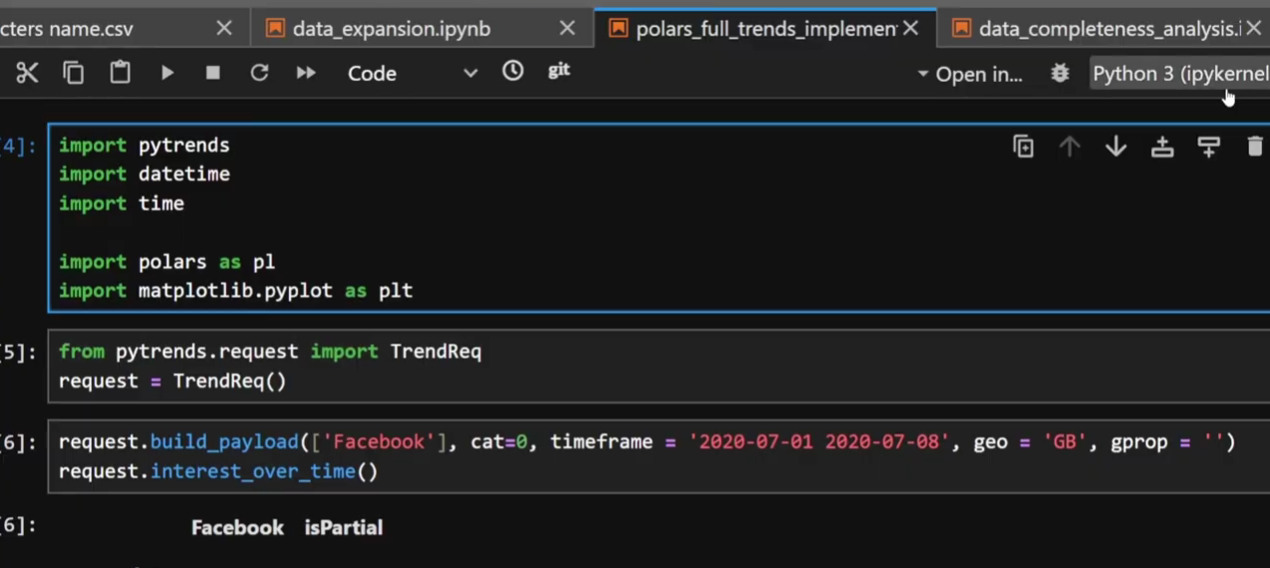
Occasionally in the code I have some small cells with just a line or two for set up but as I scroll through you’ll see what I mean.
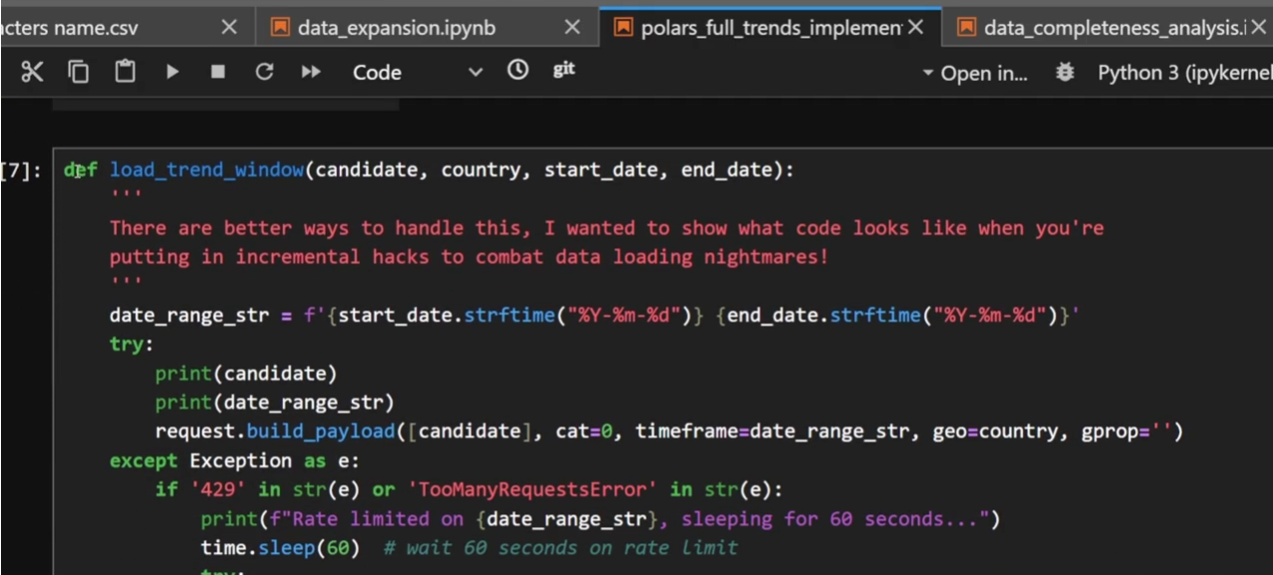
Load trend window function does what it says on the tin
Next function we have is “trend_window_to_table”. It converts the output from the previous function into a table I can use later.
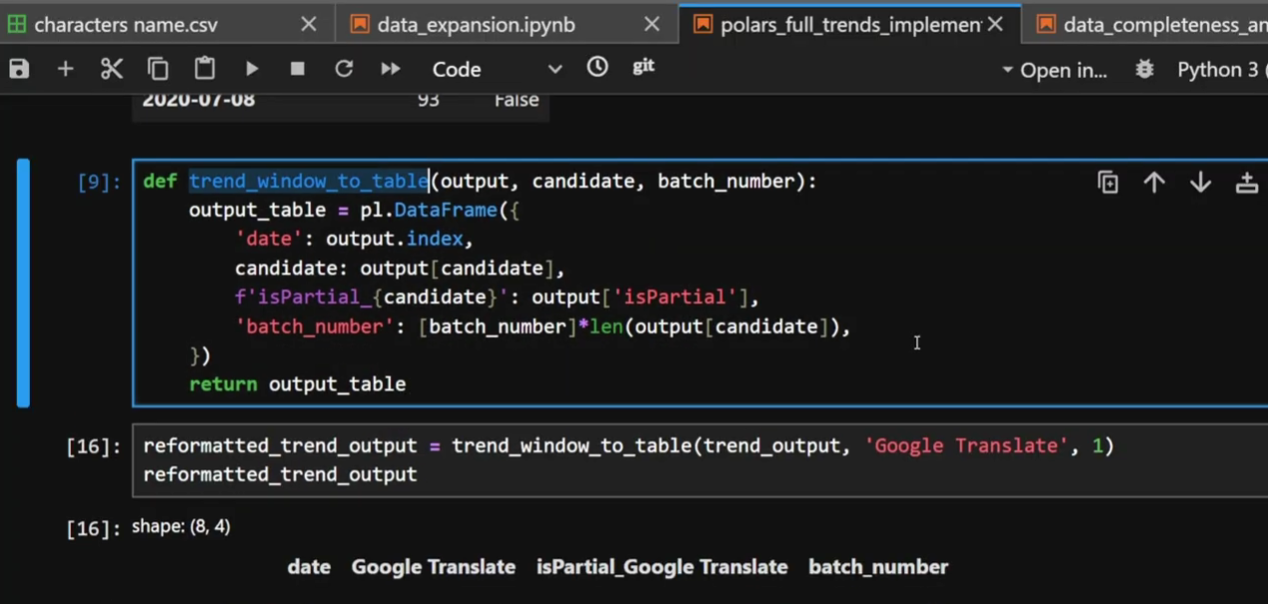
Trend window to table, I can literally tell what it does without having to read the code inside
You might notice in the images above that I don’t have many comments. This is something I’ve changed my stance on as I’ve gained more experience. When I was a mid-level coder I actually used to love comments. Each function would start with a description of what it did, what the parameters were, etc. Which was very noble of me and has good logic too, but it also has a drawback: it can be unnecessary noise.
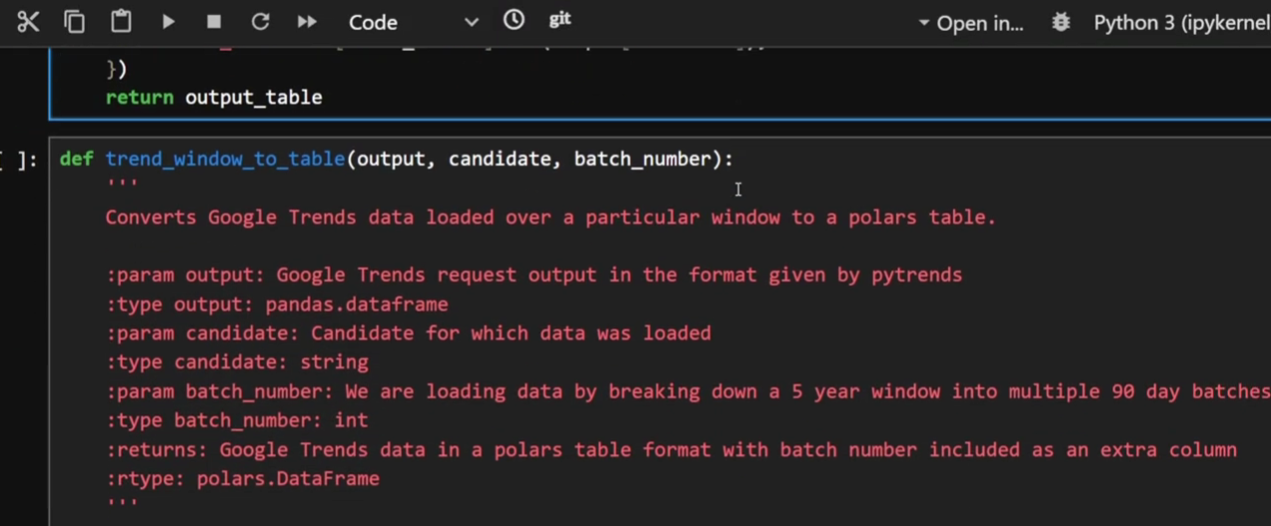
My old commenting style on functions, for demonstration purposes
A huge unlock in programming, particularly when things go wrong, is the speed at which you can read and understand your code. If I have a function called “run_and_save_part” then I can immediately see that this is running one part at a time and saving it. The variables are literally called “part_number”, “part_start_date”, “part_end_date” and “batch_number”. I’ll concede the last one is maybe not so self-explanatory and a comment might be warranted there but for the rest? The function name and variable describe what they do. I don’t need to waste screen space and human processing time on describing it.
Comments instead are used for things that might not be obvious, for example the “one month overlap” here. This could look like a mistake if one is 60 days and the other is 90 days. This comment is letting whoever reads this know it’s intentional.
But there’s one more benefit of functions I haven’t mentioned yet.
THE POWER OF REUSABILITY
The most powerful usage of functions that I haven’t mentioned is, of course,that they’re reusable. Use the same input data on two different projects? Without functions you likely have to write the code to clean the data again, or spend time searching your way through the notebook to find the relevant cells to copy and paste.
A function? Well that’s reusable, especially if you put it somewhere in source control and not in a notebook.
We all have activities we do time and time again, whether that’s adding a timestamp to your Excel export so you don’t accidentally overwrite the last one or your favourite datetime format hardcoded because you can never remember the syntax for strptime. By putting this stuff into functions you name and store something reusable, you can do the same thing over and over again without the hassle.
So that’s it, I hope that I’ve convinced you why a notebook that is, effectively, a stream of thoughts shouldn’t be your production code. Next time I’m going to talk about how this enables you to test your code more effectively, spotting problems before it all goes wrong on a Friday night. But functions are such a fundamental building block that I couldn’t think of a better place to start.
Evil Works is building a platform made by data scientists for data scientists to solve some of this notebook hell for good. For example, we’re done with stale cells. Your code will either be up-to-date, or it will fail loudly and visibly upfront. So you’ll know you’re not accidentally putting failing code in production. Keep up to date by coming back to read our next blog.
Please head over to our YouTube channel and like and subscribe and if you haven’t read it already go check out our latest post on what to do when your code goes horribly wrong in production.
Our closed beta launches this month. Sign up via the link below and keep being Evil